> ## Documentation Index
> Fetch the complete documentation index at: https://viewerdocs.planpoint.io/llms.txt
> Use this file to discover all available pages before exploring further.
# Exterior
> Following the completion of the settings module, proceed to the exterior module to start building your Planpoint.
### Exterior
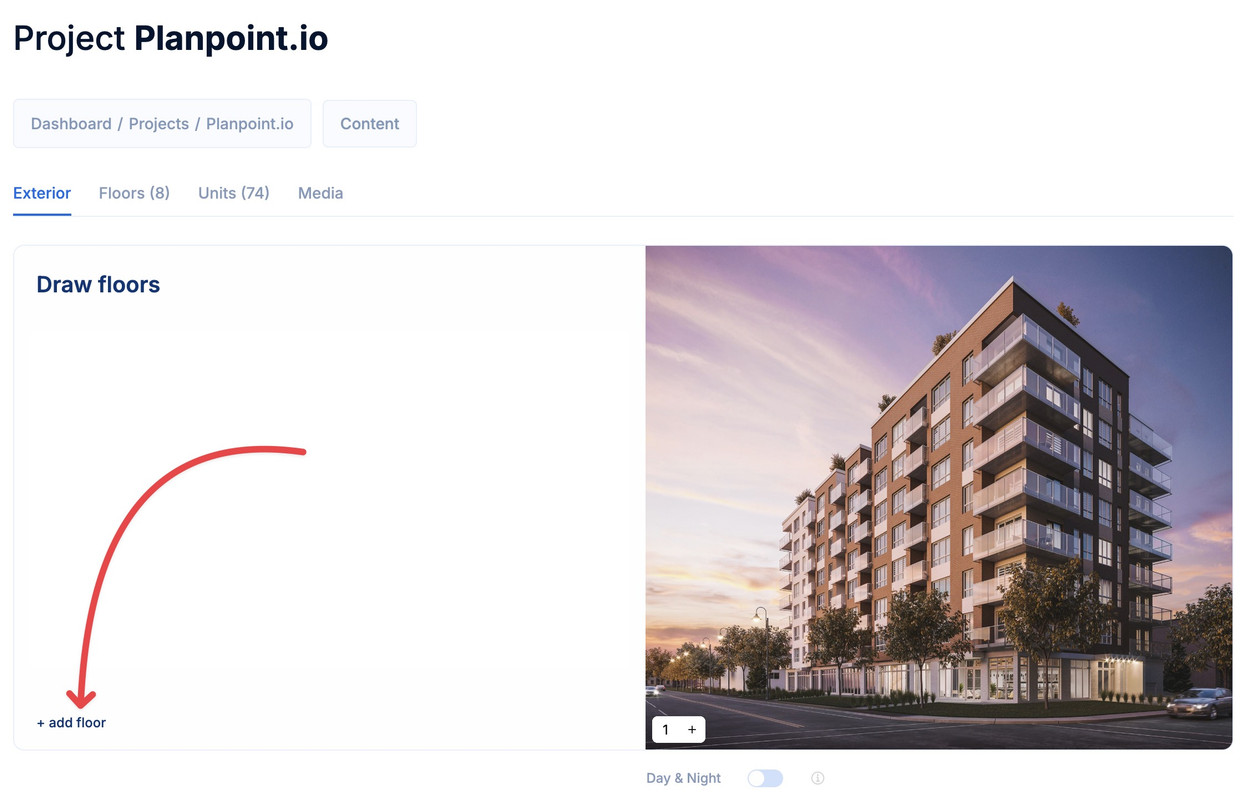
Your project currently indicates there are no floors added, which is expected at this stage. The next step involves initiating the addition of floors to your project. Simply click on **add floor.**
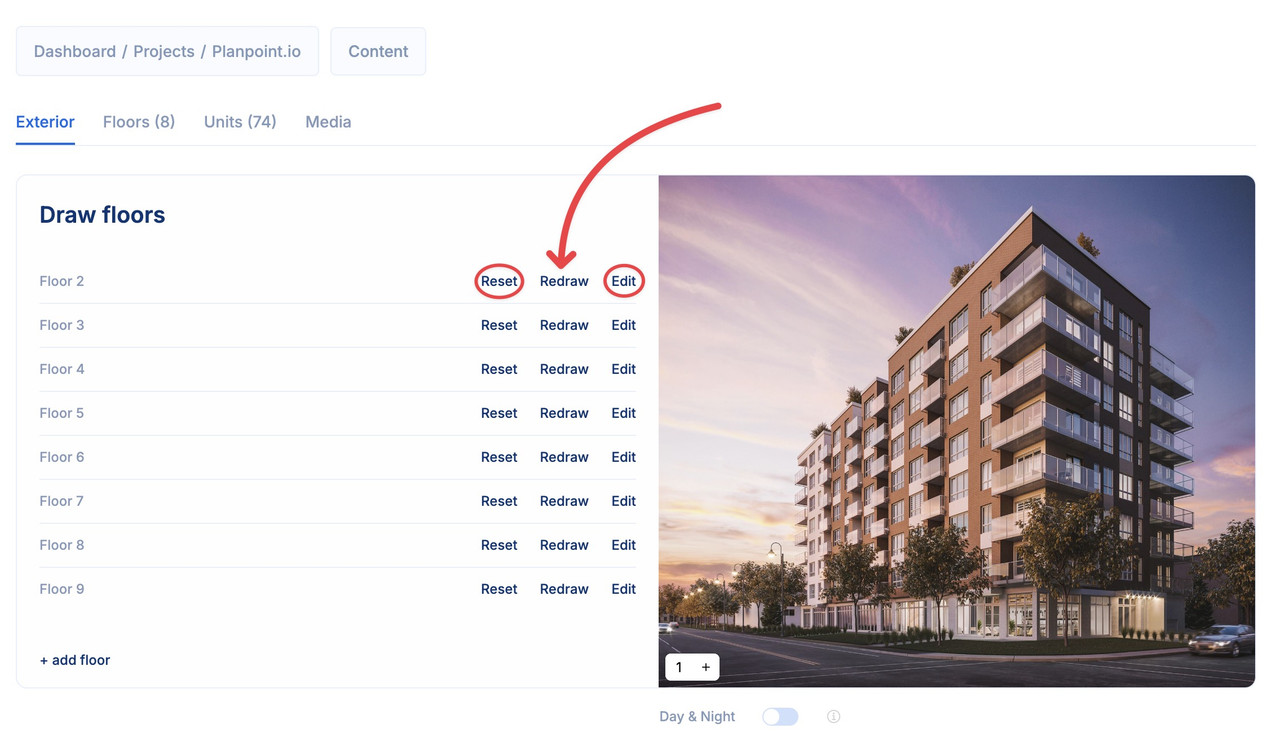
 To draw the first floor, click on **draw** or **redraw** (depending on the case). The **edit** button allows you to change the floor name. And the **reset** button allows you to delete the drawn path and start again.
 After clicking on **draw**, a new window will pop up, allowing you to draw the exterior floor of the corresponding level.
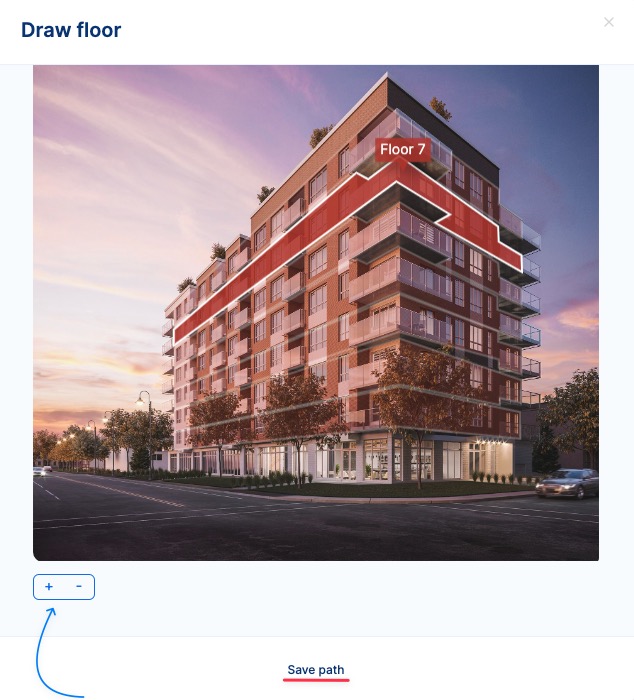 * You can rework minor adjustments by clicking on **Redraw** and then using the magnetic snap feature, as you see below.
* You can zoom in or zoom out the image using the + - buttons.
* If you wish to completely redraw the floor, click on **Reset**.
* You can also rename the floor how you want by clicking on **Edit** and editing the name field.
If Day & Night is turned on, you will be able to add an extra view of the project, but you will lose the ability to create a 360° project
* You can rework minor adjustments by clicking on **Redraw** and then using the magnetic snap feature, as you see below.
* You can zoom in or zoom out the image using the + - buttons.
* If you wish to completely redraw the floor, click on **Reset**.
* You can also rename the floor how you want by clicking on **Edit** and editing the name field.
If Day & Night is turned on, you will be able to add an extra view of the project, but you will lose the ability to create a 360° project